March 4, 2026
What to Look for in the Best AI Automation Software
Picking the best AI automation software for your small business comes down to one practical question: what does your business actually need to stop doing manually? The market is full of tools that promise to handle everything from email to invoicing to customer follow-up, but most small businesses only need a handful of well-connected automations to save real time each week.
Before comparing products, get clear on three things: which tasks eat the most hours, which ones are error-prone when done by hand, and which ones have to happen at a specific time or trigger. That short list tells you what features to prioritize, and it stops you from paying for a platform built for a 500-person company when you have a team of eight.
The Main Categories of AI Automation Tools
Not all automation software does the same job. Some tools focus on connecting your existing apps. Others add an AI layer that makes decisions, drafts content, or routes information based on what it reads. Knowing which category you need first saves a lot of wasted evaluation time.
Workflow and Integration Platforms
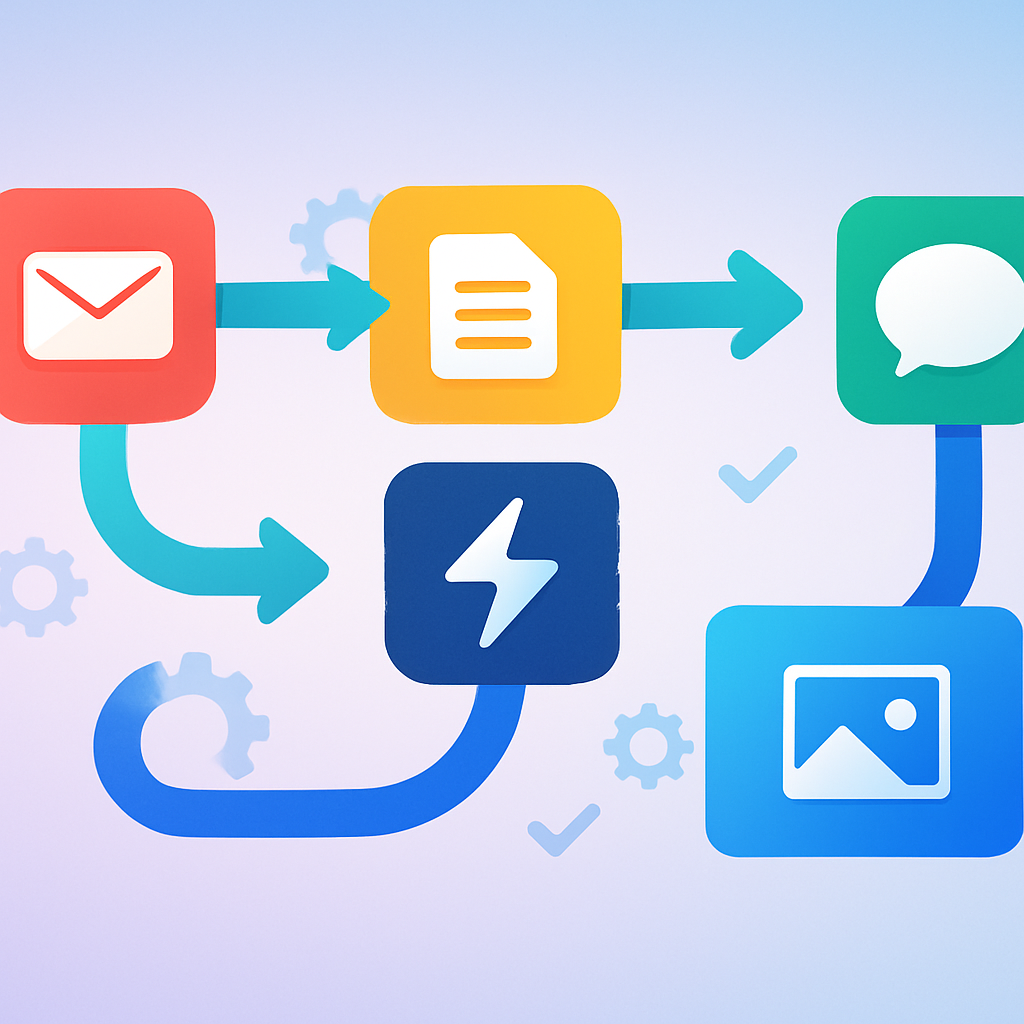
These tools connect your apps and pass data between them automatically. When a lead fills out your website form, the platform creates a contact in your CRM, sends a welcome email, and notifies your sales rep in Slack, all without you touching it. The AI layer in modern versions of these tools can interpret unstructured data, categorize incoming messages, or decide which branch of a workflow to follow based on content rather than a fixed rule.
Good fits for small businesses include tools that offer pre-built templates for common processes like lead capture, invoice creation, and appointment reminders. You should not need a developer to set up a basic workflow.
AI Writing and Content Assistants
If your team spends hours drafting emails, social posts, proposals, or product descriptions, a writing assistant can cut that time significantly. These tools generate first drafts based on a short prompt, then let you edit to match your voice. The best ones let you train them on your existing content so the output sounds like you, not a generic marketing bot.
Customer Service and Chat Automation
An AI chat tool handles common questions around the clock without staffing a support team 24 hours a day. Well-configured chatbots answer questions about pricing, hours, order status, and return policies. When a question falls outside what the bot knows, it escalates to a human and passes along the conversation history so the customer does not have to repeat themselves.
Operations and Back-Office Automation
These tools handle the repetitive internal work: scheduling, data entry, report generation, invoice processing, and follow-up reminders. For a small business, automating even two or three of these processes can free up several hours a week per person.
How to Evaluate the Best AI Automation Software for Your Size
A tool that works well for a solo consultant is often a poor fit for a 20-person company with separate sales, ops, and service functions. Use these criteria when you compare options:
- Ease of setup: Can a non-technical person build and edit workflows without calling a developer every time?
- Integration depth: Does it connect natively to the specific apps you already use, or will you need workarounds?
- AI quality: Does the AI component actually improve accuracy and speed, or is it a marketing label on basic conditional logic?
- Scalability: Will the pricing and feature set still make sense if your business doubles in the next two years?
- Support: When something breaks on a Friday afternoon, is there a person you can reach?
Spend time in the trial period running your actual workflows, not the demo scenarios the vendor provides. If you cannot build your three most important automations during the trial, that is a reliable signal the tool is not the right fit.
Purpose-Built Platforms vs. General-Purpose Tools
General-purpose automation platforms are flexible by design. You can connect almost anything to anything. The tradeoff is that you are assembling the system yourself, which takes time and requires ongoing maintenance as your apps update and APIs change.
Purpose-built platforms are designed around a specific type of business or workflow. They make fewer assumptions about what you might want to connect and more assumptions about what a business in your situation actually needs to run. Setup is faster, the defaults are more sensible, and the platform grows with a clearer roadmap because it is not trying to serve every industry at once.
For mid-size businesses with more complex operations, a purpose-built platform that bundles workflow automation, AI tools, and operational visibility into one system often costs less in total than three separate tools stitched together with a middleware layer.
Red Flags to Watch When Shopping
Some things are worth walking away from, regardless of how good the demo looks.
- Pricing that only appears after a sales call, with no published tiers
- No ability to export your data if you decide to leave
- AI features described in vague terms with no explanation of what the model actually does
- A trial period that is too short to test anything meaningful, typically less than 14 days
- Customer support that is entirely self-service with no escalation path
Ask vendors directly: what happens to your data if you cancel, and how long does the offboarding process take? A straightforward answer is a good sign. Vague answers are worth noting before you sign a contract.
Matching the Tool to the Moment
If you are early in your automation journey, start with one high-volume, low-stakes process and automate that well before expanding. Customer inquiry routing, appointment confirmation emails, or weekly report generation are good starting points. Each successful automation builds your team's confidence and gives you a template for the next one.
If your business is further along and you are already running several separate tools that do not talk to each other well, the more useful question is whether a unified platform would serve you better than adding another point solution. Consolidating onto one system that includes workflow automation, AI-assisted communication, and operational dashboards reduces the maintenance load and gives you a cleaner picture of what is actually happening across the business.
Platforms like Accelimate AI are built for exactly this stage, bringing automation, business intelligence, and operational tools together so you are not managing five vendor relationships to accomplish what one well-designed system can handle.
Book a free first consultation to walk through which automations would have the biggest impact on your business right now.